Nested JSON strings
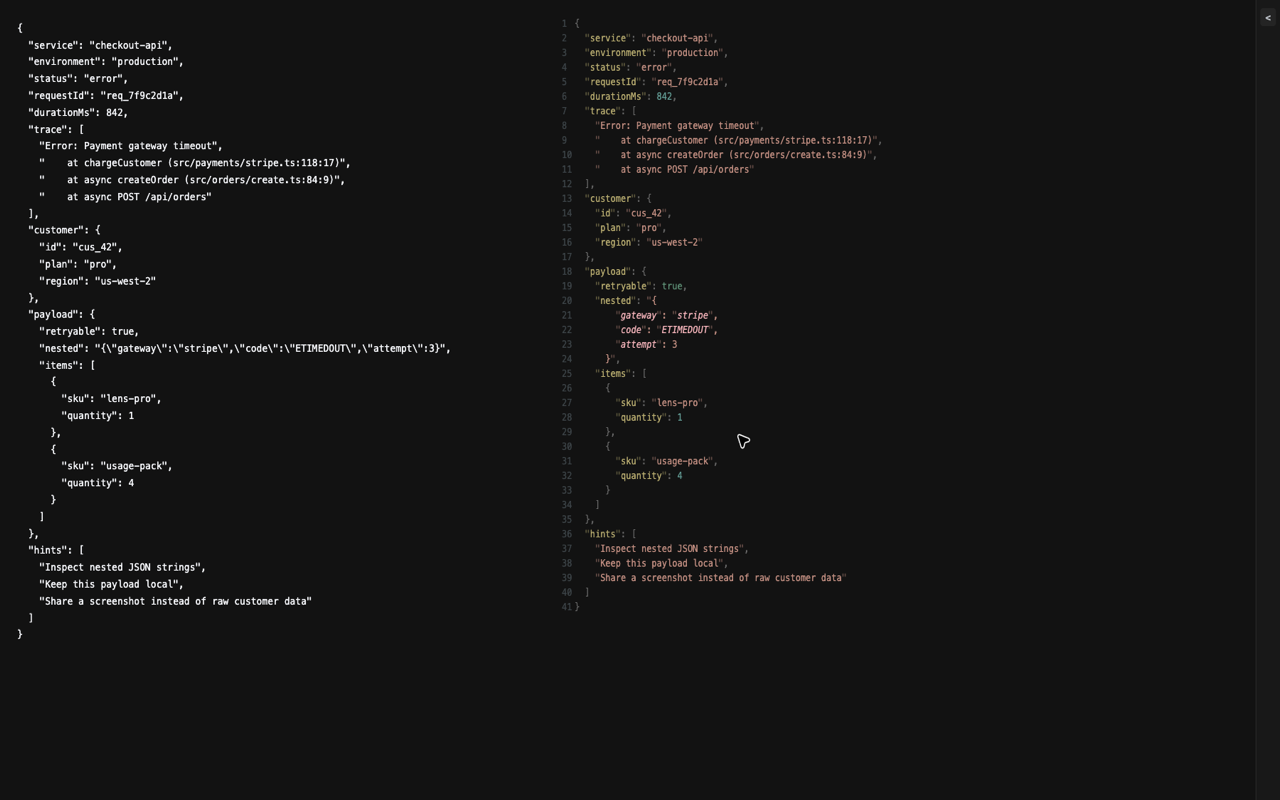
Expand JSON-looking string fields such as {"foo":"{\"bar\":1}"} into
readable structured data.
 RawLens
Chrome extension for messy JSON and raw developer data
Pretty-print messy JSON from selected text, hovered page elements, clipboard content, page source, and raw pages without leaving Chrome.
Built for the raw tabs developers actually open
Expand JSON-looking string fields such as {"foo":"{\"bar\":1}"} into
readable structured data.
Inspect selected text, hovered DOM nodes, clipboard content, raw pages, page source, or page HTML.
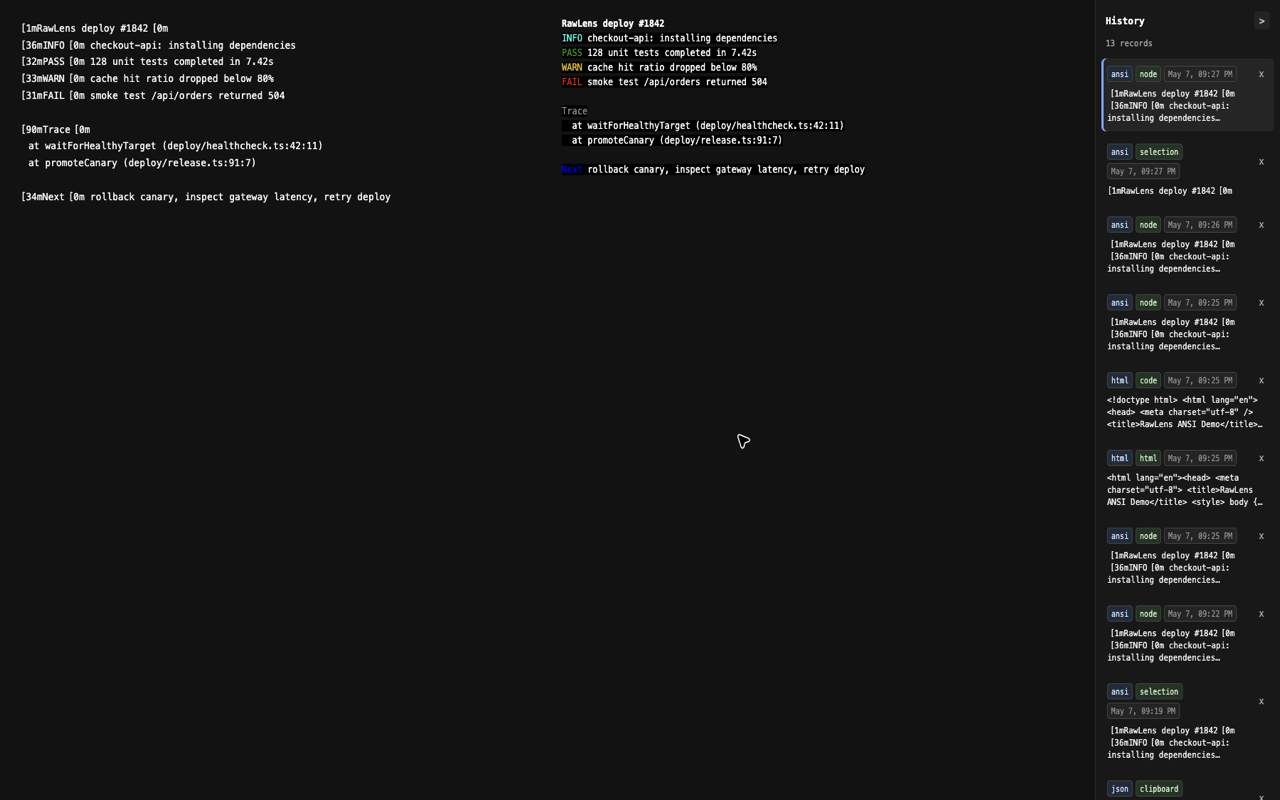
Auto-format YAML, Markdown, SQL, patches, diffs, XML, JavaScript, CSS, and HTML when Chrome opens them as text.
Short demo
Use the demo clip on launch posts, README, Product Hunt, and the Chrome Web Store gallery. It keeps the story focused on the main workflow: JSON from anywhere, nested string fields expanded locally.
Format coverage
Fast from anywhere
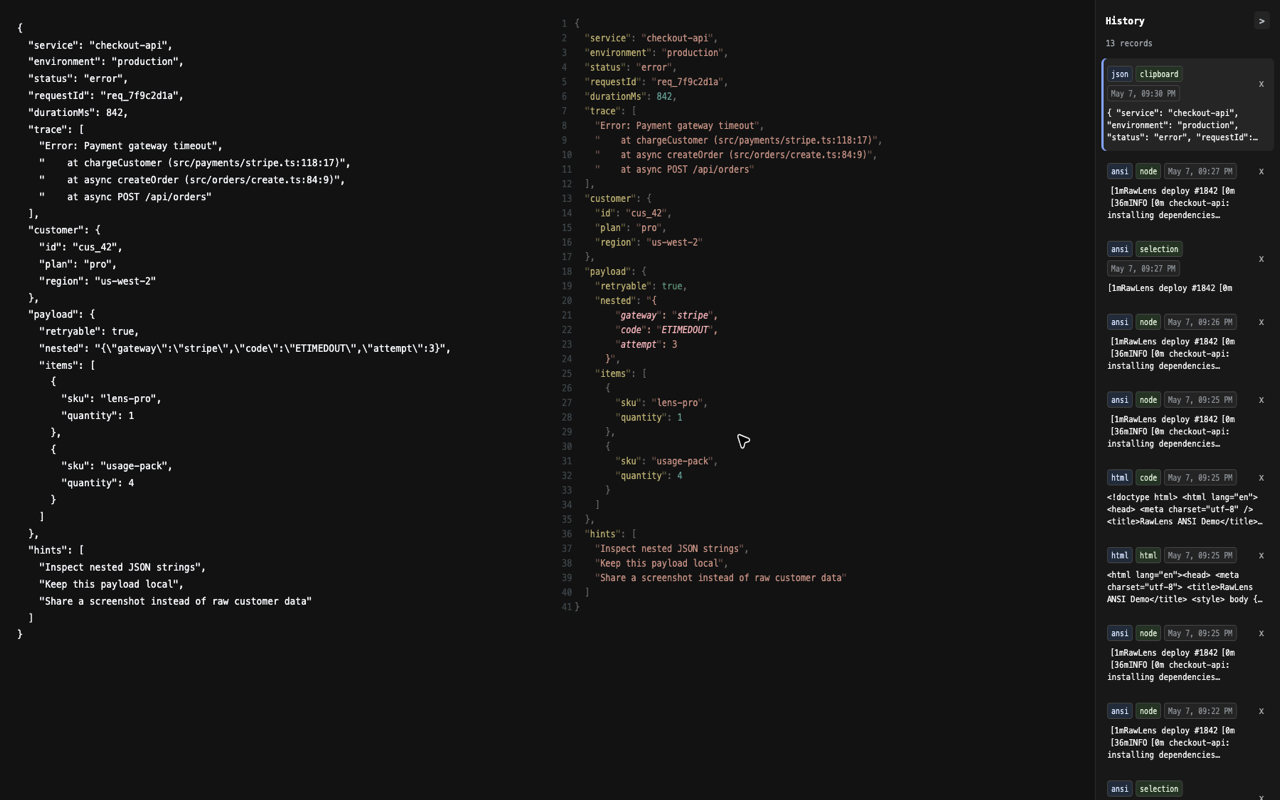
RawLens works from selected text, hovered DOM nodes, clipboard content, full page source, and page HTML. Recent entries stay available in a local History panel.
Searchable use cases
Local by default
Formatting and history run locally. RawLens does not collect logs, send them to a server, sell data, or track your content.
Install
Keep a readable inspection lens one shortcut away for the next raw API response, CI trace, or copied production error.